

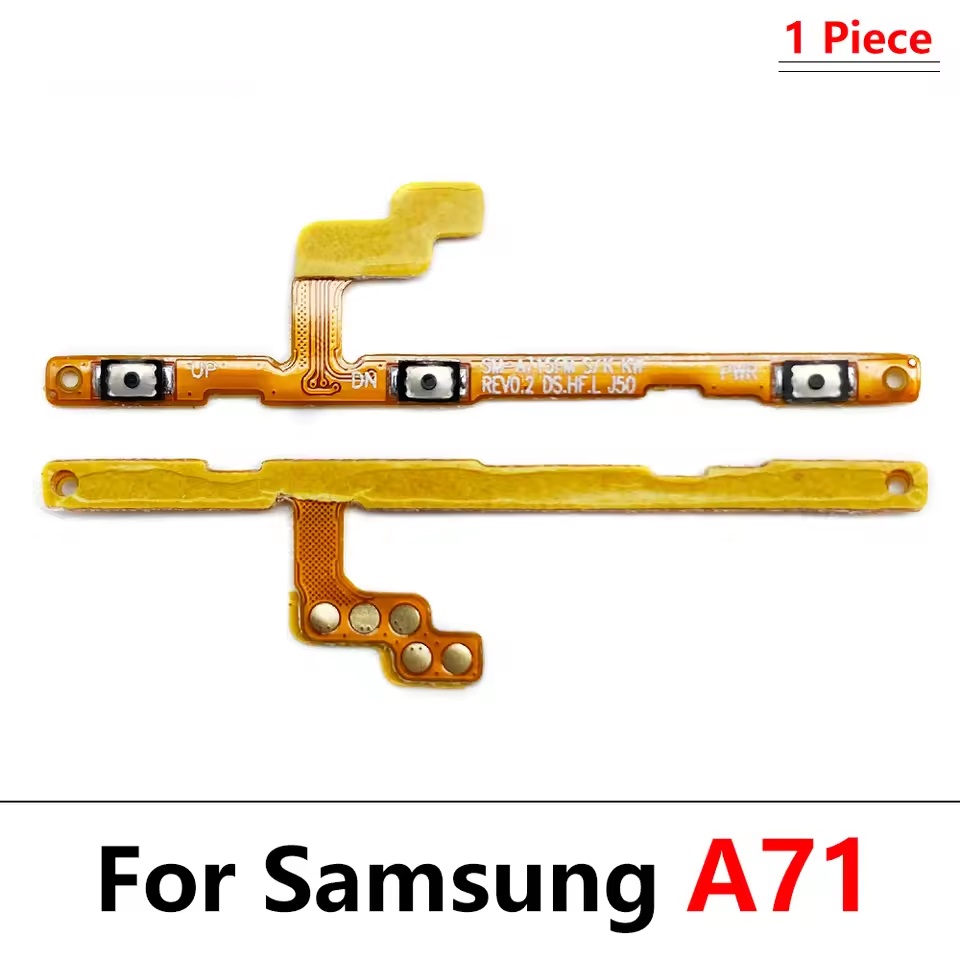

You don’t need to buy a new phone. Over time, the internal clicky connections (dome switches) on your phone’s side ribbon wear out or snap due to heavy use or liquid exposure. Replacing this single internal ribbon restores the original, crisp mechanical click and full button functionality to your device.
This premium, high-quality replacement flex cable houses both the power button connection and the volume up/down switches on a single ribbon assembly, ensuring a flawless hardware match for your Samsung A71.
When do you need to replace this part?
-
The phone refuses to turn on or restart when clicking the power button.
-
Volume keys are completely unresponsive or register multiple presses on a single click.
-
The physical buttons feel “flat” or “mushy” and have lost their mechanical click feel.
-
The internal ribbon cable was accidentally ripped or torn during a screen or battery replacement.
🛠️ Installation Note: This is an internal component that connects directly to the phone’s logic board. It requires opening the back cover and removing internal mid-frame shields. We highly recommend professional installation or repair experience to prevent damaging nearby internal connections.













There are no reviews yet.